For e-commerce merchants, the payment experience isn’t just a transaction but a critical component of your growth engine. A seamless, reliable checkout flow drastically reduces cart abandonment and allows you to capture revenue globally. When scaling a business on Shopify, integrating a robust, developer-focused payment gateway is essential for modernization and competitive advantage.
This guide outlines how to connect your chosen payment infrastructure to your Shopify storefront, ensuring your business is ready to accept a diverse array of payment methods, from global credit cards to local favorites.
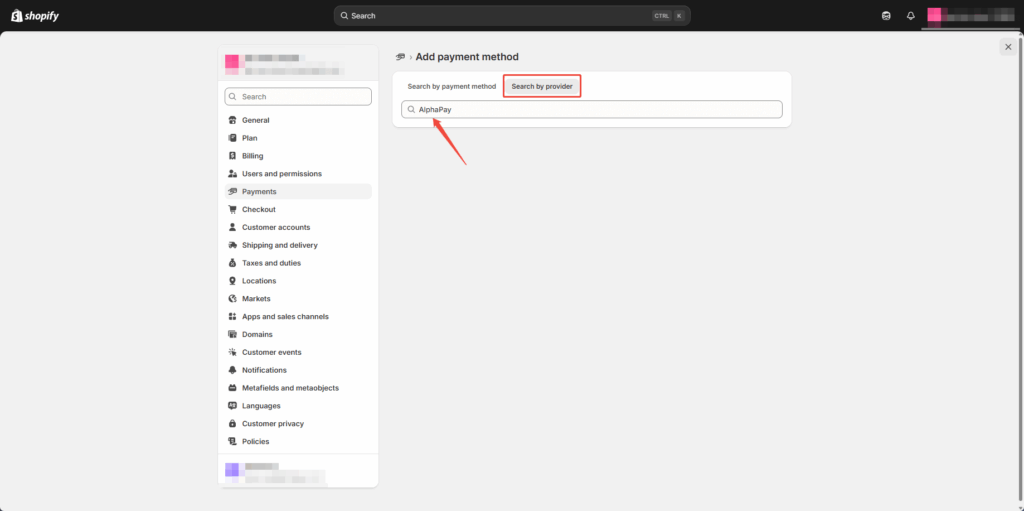
Under Add Payment Methods, click Add Payment Method, then search for “AlphaPay”.
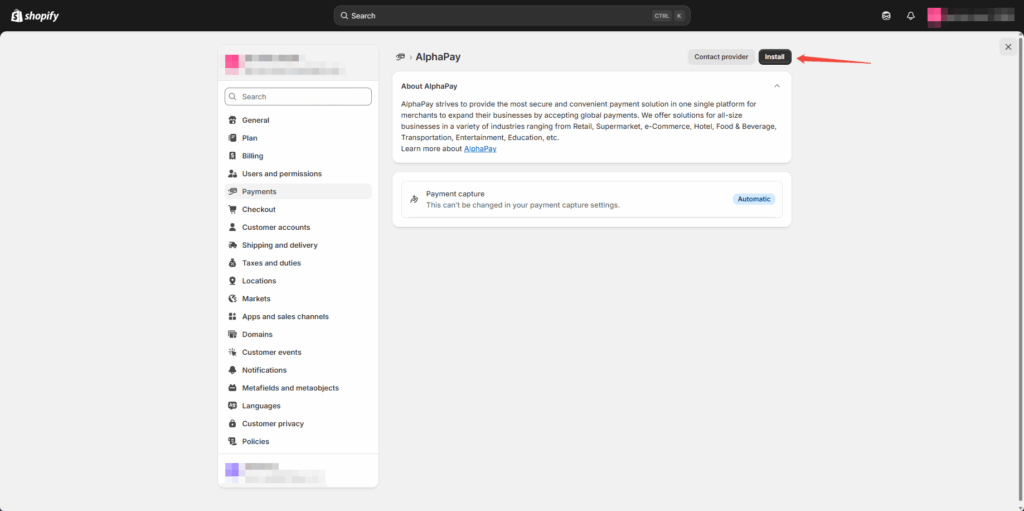
Click “Search by provider” and search for “AlphaPay”. Select and proceed to install the plugin.
Click “Search by provider” and search for “AlphaPay”. Select and proceed to install the plugin.
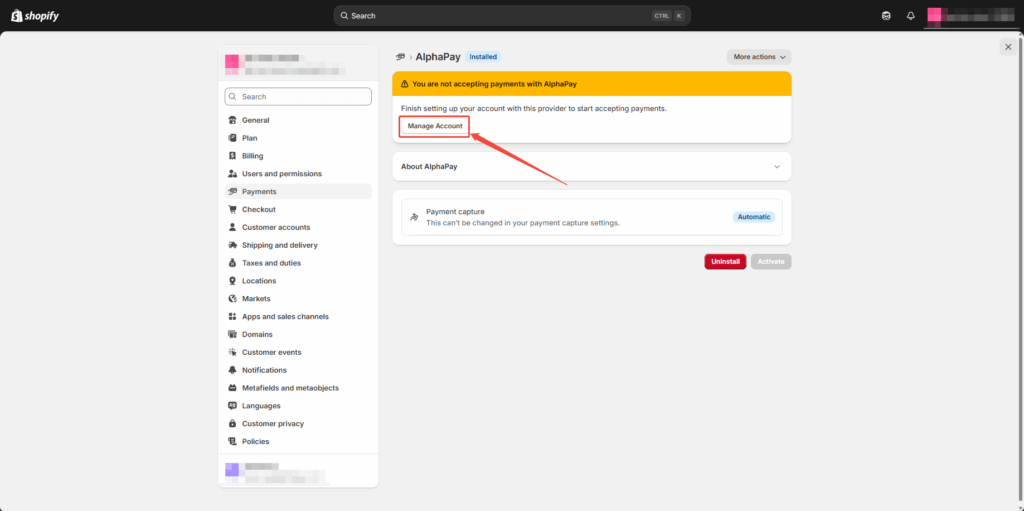
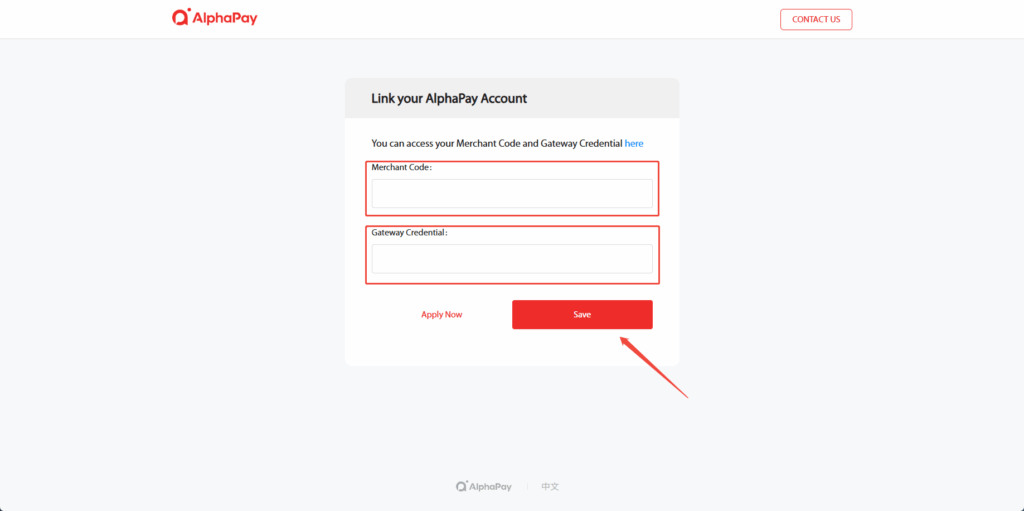
You’ll now be prompted to enter your Partner Code 和 Credential Code (provided by AlphaPay). Click Manage Account to access the fields. *Don’t have an account yet? Click 马上申请 to create one.
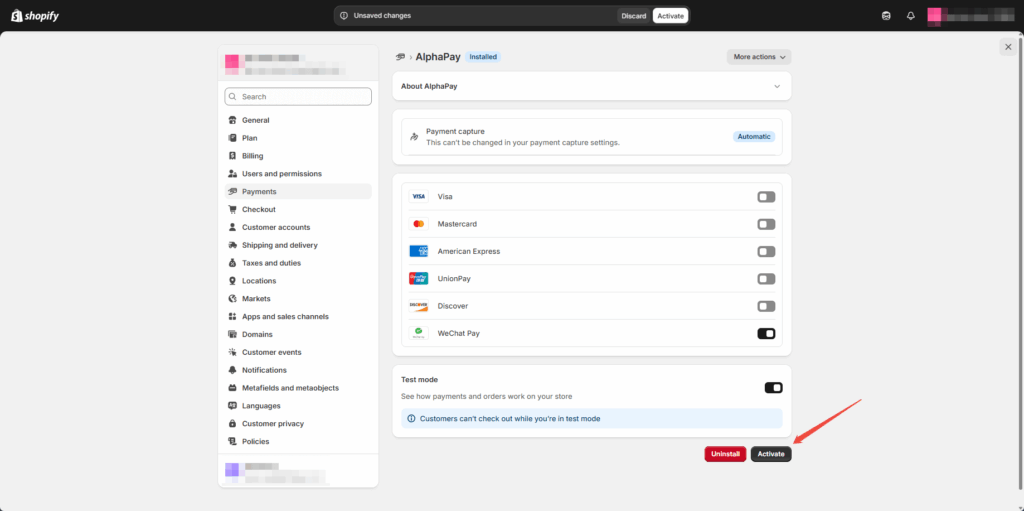
Once your credentials are entered, configure the payment methods you’d like to support (WeChat Pay, Alipay, UnionPay) and click Activate to confirm.
To ensure everything’s working:
Create a test order
Proceed to checkout
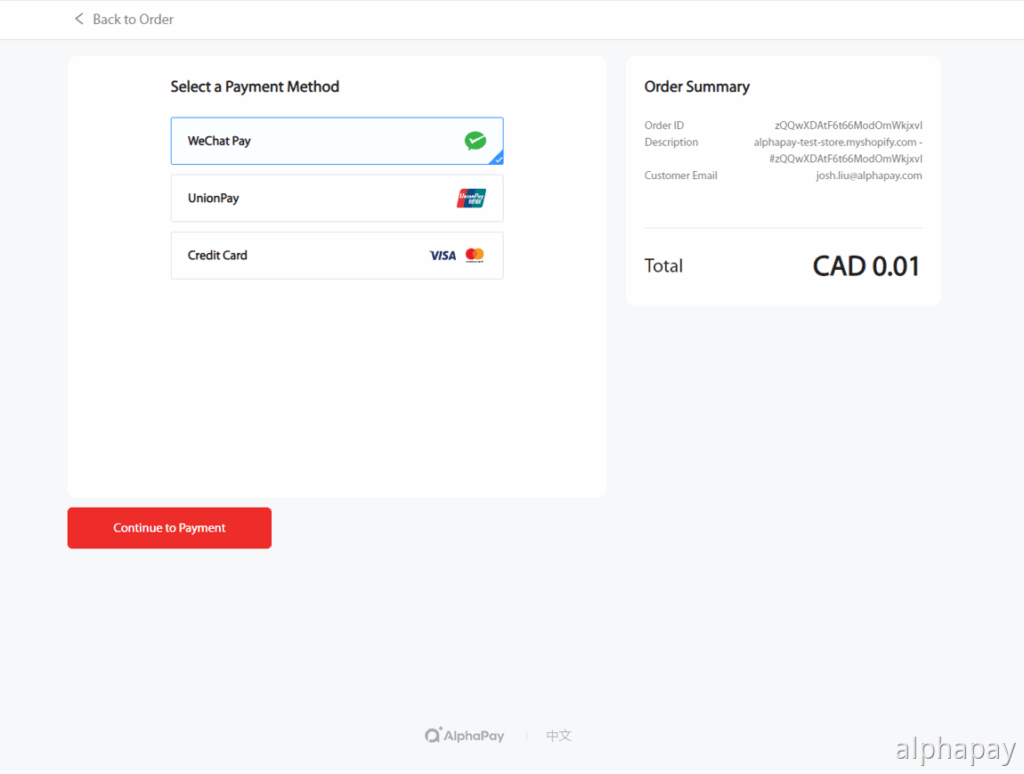
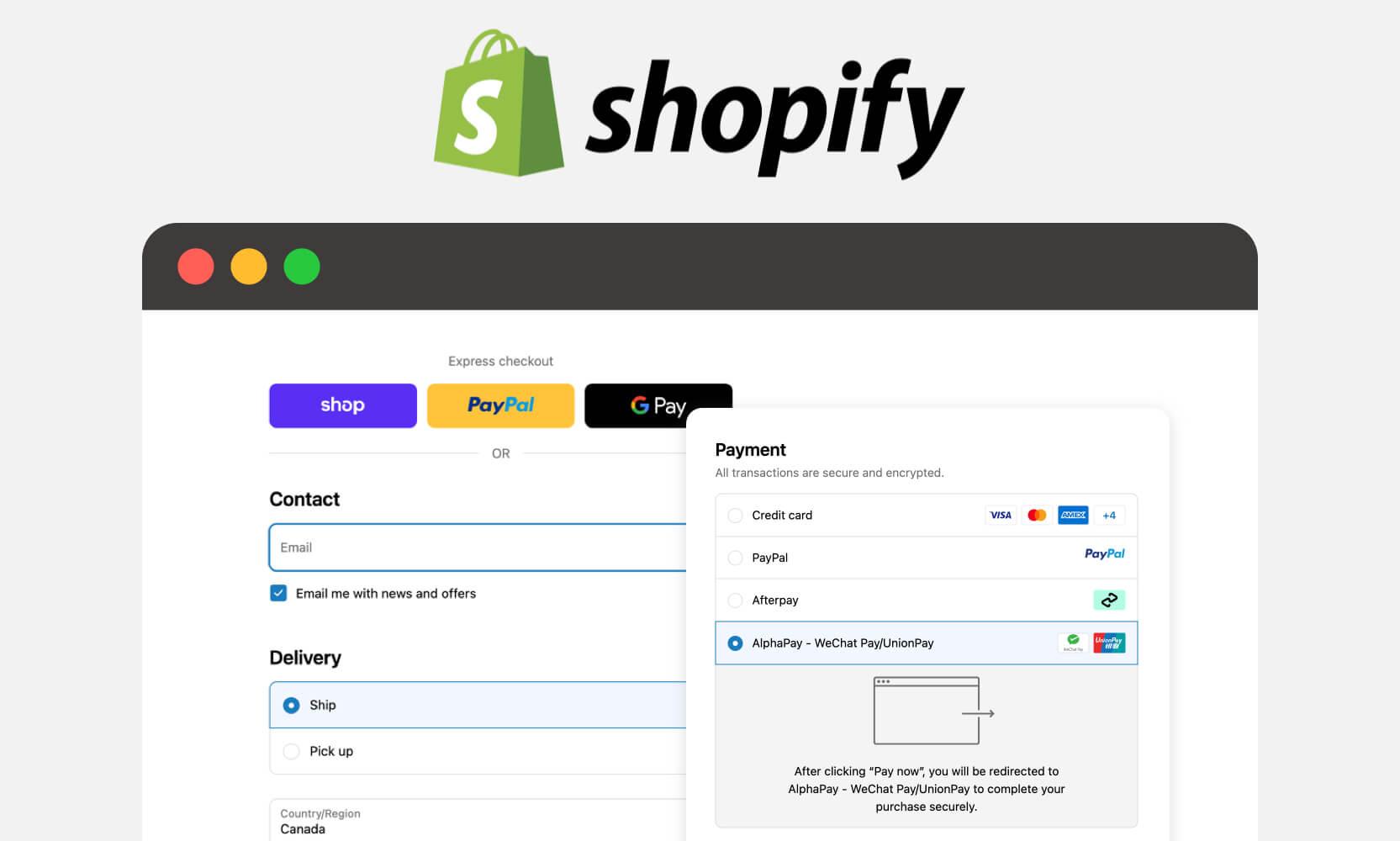
Select a supported AlphaPay method (e.g., WeChat Pay)
Complete the transaction
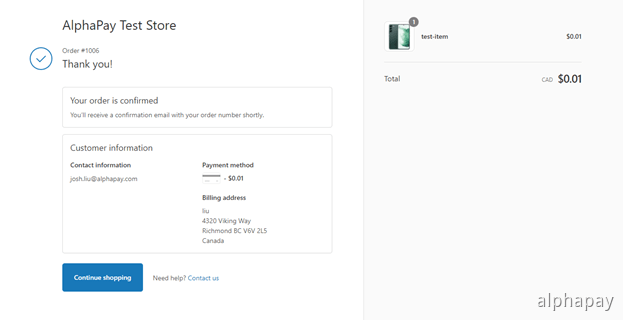
You’ll see a confirmation once the payment is processed.
Confirm the payment is successful before launching.
Issuing Refunds
Refunds are simple:
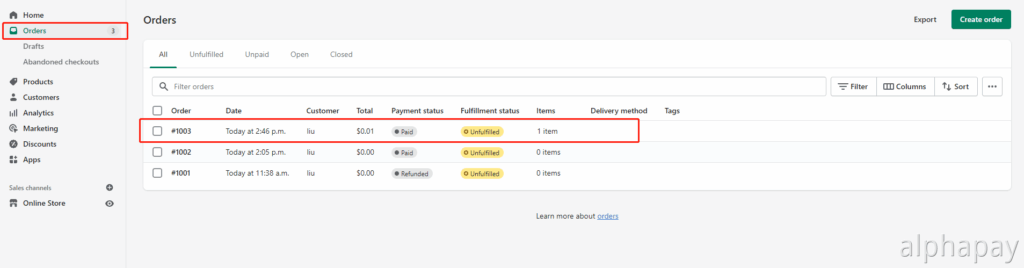
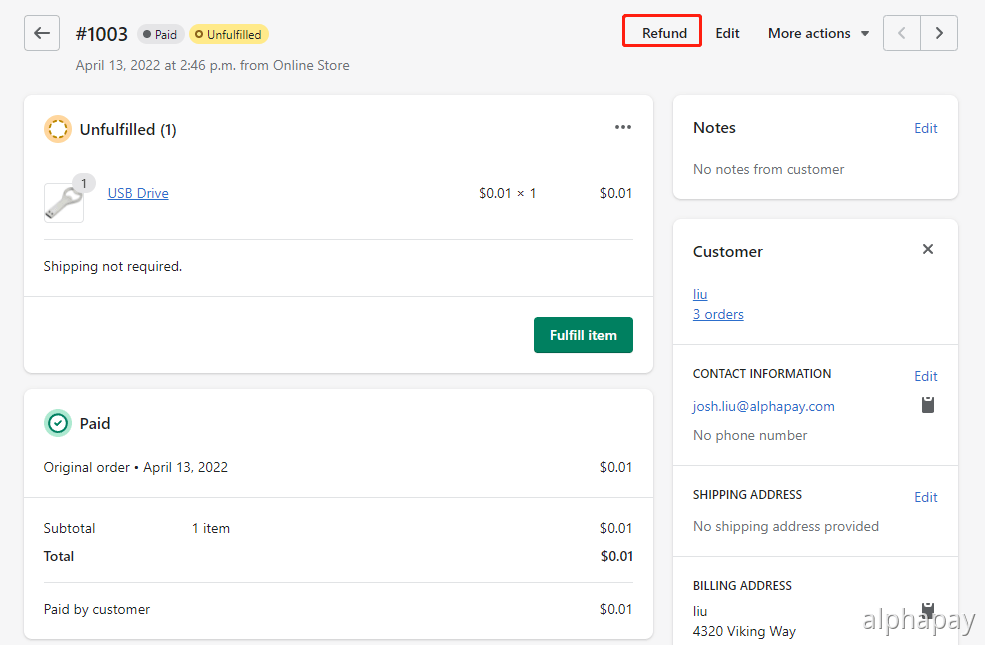
Go to 订单记录 in Shopify
Select the order you wish to refund
点击 退款, enter the amount, and confirm
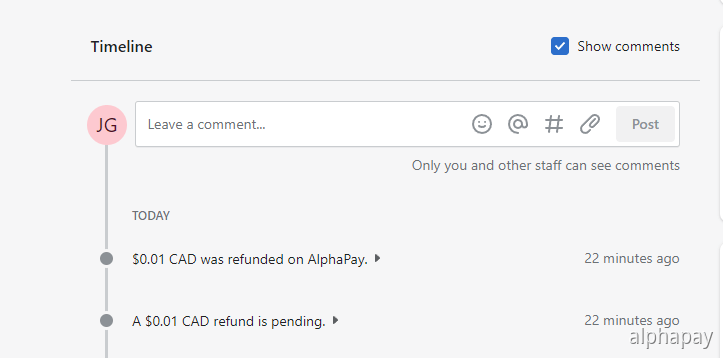
The refund will be sent back via the customer’s original AlphaPay method automatically.
Check and confirm that the refund processed successfully.
Once you’ve set up payments and optimized the basics, there’s still a lot more you can do to sharpen your store. From automating tasks with Shopify Flow to increasing conversions with smart collections and video, small tweaks can lead to big wins. Explore 7 under-the-radar Shopify tips to grow faster and sell smarter.
Go Live in Minutes
AlphaPay’s Shopify integration is designed to be frictionless—no coding, no lengthy approvals. You’ll gain access to the most widely used mobile payment methods in Asia, backed by fast settlement, low fees, and local support.