
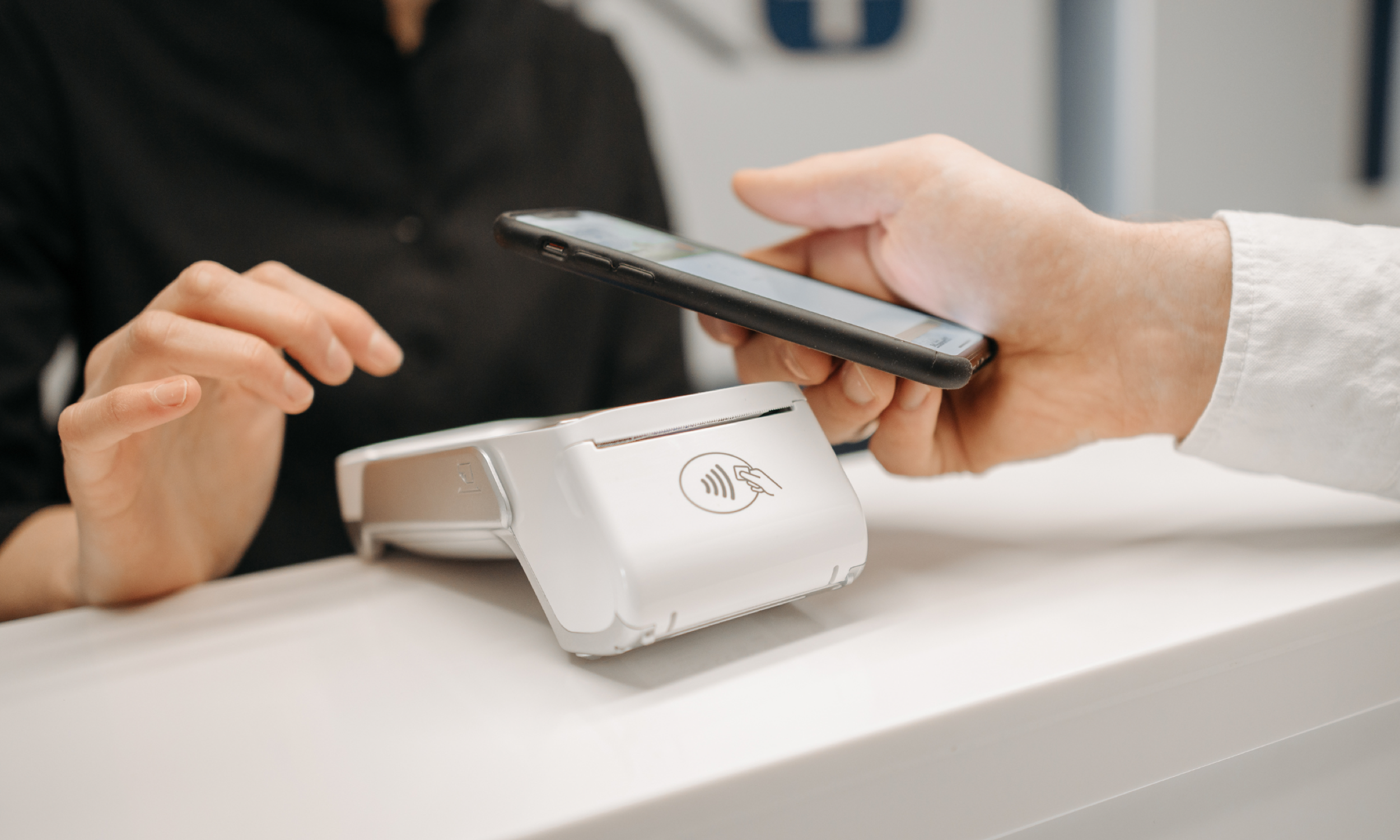
This guide breaks down what a point of sale system is and what Canadian merchants need to know about tax receipts and privacy, and how to choose the right POS setup for your store, restaurant, clinic, or eCommerce.
If you run a business in Canada, your point of sale is more than the moment money changes hands. It’s the place where customer experience, payment security, taxes, inventory, and reporting all collide in real time.
In This Article
What is a point of sale
How a point of sale transaction works
What a POS system should do for Canadian businesses
Receipts and tax basics (GST/HST)
Security and privacy
Types of point of sale systems
Choosing the right a point of sale system
What is a Point of Sale?
A point of sale (often called POS) is where a customer completes a purchase. In a physical location, that’s typically your checkout counter, tablet, or payment terminal. Online, the “point of sale” is your checkout page.
A modern point of sale system usually includes:
Hardware (terminal, tablet, barcode scanner, receipt printer, cash drawer)
POS software (to ring in sales, manage products, track staff, and generate reports)
Payment acceptance (debit, credit, tap, mobile wallets, QR payments)
Back-office tools (inventory, reconciliation, tax reporting, analytics)
Competitor guides often describe POS as “front end + back end,” and that’s a useful mental model: the front end is what your staff and customers see, and the back end is how the payment is processed and recorded.
How a Transaction Processess on a POS
When someone taps, inserts, scans, or pays online, a few things happen fast:
The POS calculates the total
Items, discounts, tips, and Canadian taxes (GST/HST and sometimes PST/QST depending on province).
Payment is initiated
For card payments, customers tap/insert and confirm. For Interac Debit contactless, the customer confirms the amount and taps their card/phone/wearable, and if they hit a cumulative spend limit they’ll be prompted to insert and enter a PIN.
Authorization happens
The payment message travels from your terminal → payment processor/acquirer → card network/debit network → customer’s bank.
The bank approves or declines.
You get confirmation
The POS marks the sale “paid,” prints/emails a receipt, and updates inventory (if you use inventory tracking).
Settlement and payout
Funds are deposited to your business bank account on your payout schedule (often next-day or within a few business days, depending on provider and method).
What a Modern POS System Does for Canadian Businesses
A good point of sale setup doesn’t just accept payments. It helps you run the business more cleanly day to day.
Faster checkout and fewer lineups
Canadian shoppers are heavily card-and-tap oriented. The Bank of Canada’s Methods-of-Payment research shows that in 2023, credit cards made up 48% of transactions 和 debit cards 25%, with cash at 20%.
That means your POS should be excellent at tap, chip + PIN, and smooth receipts, not just “able to take cards.”
Better reporting and reconciliation
Look for POS reporting that answers questions like:
What sold today by location, lane, or staff member?
What was refunded and why?
Do deposits match sales (and do you have an audit trail)?
If you operate multiple locations, “master account” style reporting can be a game changer for finance teams. AlphaPay supports merchant portal reporting that can be organized by store, lane, and date range, and can be customized for finance workflows.
Omnichannel: in-store + online
Even if you’re mostly brick-and-mortar, customers expect consistent experiences across:
In-store checkout
Pickup orders
Online checkout
Mobile or QR-based payment flows
Receipts and Tax Basics (GST/HST)
If your POS prints or emails receipts, it should handle tax disclosure properly.
The CRA explains that receipts/invoices must show the GST/HST rate that applies and either show the tax amount separately or clearly indicate the total includes GST/HST.
This matters for customer clarity and for businesses that need clean documentation for bookkeeping.
If your customers are businesses, documentary requirements can also affect their ability to claim input tax credits, which is another reason your receipt settings and recordkeeping matter.
Practical takeaway: when you’re evaluating any point of sale system, ask to see sample receipts for your province(s) and scenarios (refunds, partial refunds, tips, discounts, split payments).
Why Payment Choice Matters
In Canada, debit and credit are table stakes. But depending on your location and customer base, alternative payment methods can be meaningful:
Tourist-heavy areas (downtown Vancouver, Banff, Niagara Falls, Old Montréal)
Campuses and neighborhoods with lots of international students
Retailers serving international shoppers
AlphaPay helps Canadian merchants accept WeChat Pay, Alipay, and UnionPay through POS and omnichannel integrations (including partners like Moneris/Clover/Elavon, depending on setup) and supports CAD settlement flows.
If you’re operating at scale, this can also connect to marketing opportunities around wallet ecosystems and QR-based journeys (depending on channel and eligibility).
Choosing a Point of Sale in Canada
Here’s what typically matters most for Canadian merchants, in the real world:
Payments
Interac Debit (chip + PIN, contactless)
Credit card acceptance (tap, insert)
Mobile wallets (Apple Pay / Google Pay)
Optional: QR payments and international wallets depending on your customers
Hardware fit
Countertop vs mobile vs self-checkout
Barcode scanning needs
Kitchen printing (restaurants) or label printing (retail)
Reporting and reconciliation
Batch reports, payout matching, refunds
Multi-location visibility
Export formats your accountant actually wants
Tax handling
GST/HST settings by province
PST/QST where applicable
Clear receipts and audit trails
Security and privacy posture
PCI approach and device standards
Data minimization and privacy compliance
Built for Canadian Checkout, Ready for Global Wallets
If your business wants a POS experience that supports both everyday Canadian payment expectations (tap, chip + PIN) and cross-border customer preferences (QR wallets like WeChat Pay, Alipay, UnionPay), AlphaPay is designed to plug into the way Canadian merchants already operate.
Highlights merchants tend to care about:
Integration into existing POS and self-checkout flows
Fast QR-payment processing and confirmation
Finance-friendly reporting structures and multi-location management
If you’re ready to explore point of sale options for your business or want to understand what’s possible, reach out to our team for a quick demo!